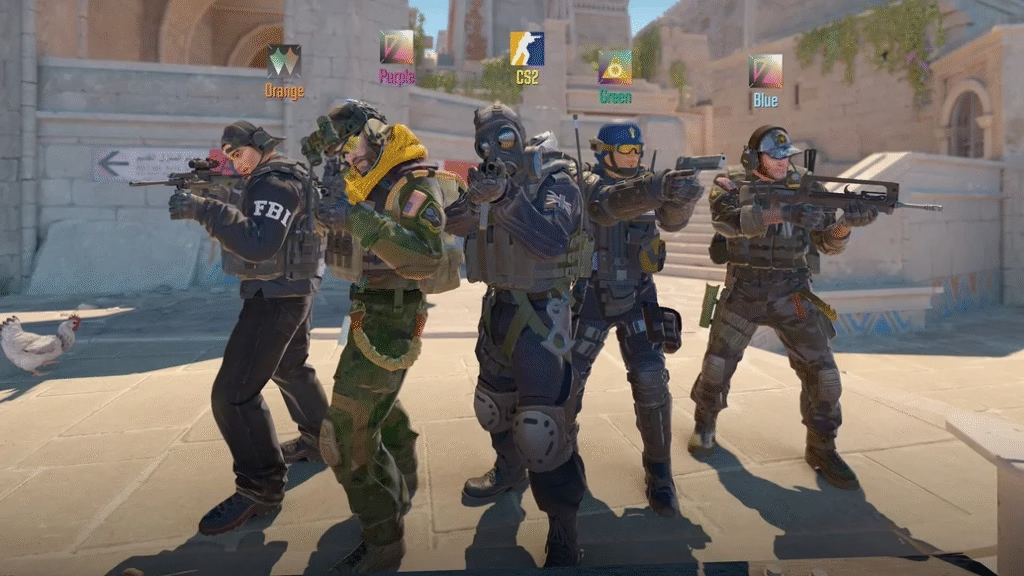
Use the best CS2 settings for graphics, sensitivity, crosshair, and launch options. Boost FPS, reduce lag, and improve aim like pro players.
🖥️ Best Video Settings (Max FPS + Low Latency)
▶️ Display
| Setting | Recommended |
|---|---|
| Display Mode | Fullscreen |
| Resolution | 1920×1080 (or 1280×960 Stretched) |
| Refresh Rate | Highest Available |
| Laptop Power Savings | Disabled |
| V-Sync | Off |
| NVIDIA Reflex | Enabled + Boost |
✅ These reduce input delay and make aiming more responsive.
▶️ Advanced Video (Graphics)
Set Global Shadow Quality → Custom, then:
| Setting | Value |
|---|---|
| Global Shadow Quality | Low |
| Model / Texture Detail | Medium |
| Texture Filtering | Anisotropic 8x |
| Shader Detail | Low |
| Particle Detail | Low |
| Ambient Occlusion | Disabled |
| High Dynamic Range | Performance |
| FidelityFX / FSR | Off |
| Motion Blur | Disabled |
🎯 Goal: 200+ FPS stable for competitive play.
🖱️ Best Mouse & Sensitivity (Pro Standard)
▶️ Mouse Settings
| Setting | Value |
|---|---|
| DPI | 400 / 800 / 1600 |
| In-Game Sens | 1.2 – 2.2 |
| Mouse Acceleration | Off |
| Raw Input | On |
▶️ eDPI Formula
DPI × Sensitivity = eDPI
✅ Recommended range: 600 – 1000 eDPI
Example:
800 DPI × 1.5 = 1200 eDPI
▶️ Zoom Sensitivity (Snipers)
| Setting | Value |
|---|---|
| Zoom Sensitivity | 1.0 |
Keeps scoped aim consistent.
🎯 Best Crosshair (Clear & Accurate)
🔴 Pro-Style Crosshair (Command)
Paste in console:
cl_crosshairsize 2.5
cl_crosshairthickness 0.5
cl_crosshairgap -2
cl_crosshaircolor 1
cl_crosshairalpha 255
cl_crosshairstyle 4
cl_crosshairdot 0
✅ Clean, static, and easy to track.
Tip: Green or Cyan works best on most maps.
🎧 Best Audio Settings (Hear Enemies Better)
▶️ Sound
| Setting | Value |
|---|---|
| Master Volume | 100% |
| Audio Profile | Crisp |
| Perspective Correction | On |
| VOIP Volume | 60–70% |
| Music | Off |
🎯 “Crisp” boosts footsteps and reload sounds.
⌨️ Best Keybinds (Competitive Layout)
▶️ Essential Binds
bind "mouse5" "+voicerecord"
bind "f" "+lookatweapon"
bind "c" "use weapon_smokegrenade"
bind "x" "use weapon_flashbang"
bind "z" "use weapon_hegrenade"
▶️ Jump Throw Bind (Optional)
alias "+jt" "+jump;"
alias "-jt" "-jump;"
bind "v" "+jt"
Helps with consistent grenade throws.
⚙️ Best Launch Options (Steam)
Open Steam → CS2 → Properties → Launch Options
Paste:
-high -novid +fps_max 0
What They Do
-high→ High CPU priority-novid→ Skip intro+fps_max 0→ Unlimited FPS
⚠️ Avoid outdated options (like -tickrate).
🎮 Best Viewmodel (See More Screen)
▶️ Pro Viewmodel
viewmodel_fov 68
viewmodel_offset_x 2.5
viewmodel_offset_y 2
viewmodel_offset_z -2
Keeps weapon out of your vision.
🏆 Best Settings by Playstyle
🔫 Riflers / AWPers
- DPI: 800
- Sens: 1.2–1.6
- Low graphics
- Static crosshair
⚡ Entry Fraggers
- DPI: 800–1600
- Sens: 1.6–2.0
- Slightly faster turns
🧠 IGL / Support
- Lower sens
- Focus on visibility & audio
🚀 NVIDIA Control Panel (Optional Boost)
If using NVIDIA GPU:
Program Settings → CS2
| Setting | Value |
|---|---|
| Low Latency Mode | Ultra |
| Power Management | Max Performance |
| Texture Filtering | High Performance |
| V-Sync | Off |
Reduces input lag by ~15–20%.
📌 Quick “Best Overall” Preset
If you want fast setup:
🔥 Competitive Preset
Resolution: 1920x1080
Graphics: Low-Medium
DPI: 800
Sens: 1.4
eDPI: 1120
Crosshair: Static Green
FPS: Unlimited
Reflex: On + Boost
Used by many high-rank players.
⭐ Pro Performance Tips
✅ Use 144Hz+ monitor
✅ Ethernet > WiFi
✅ Close background apps
✅ Disable overlays
✅ Use gaming mousepad
✅ Keep drivers updated
These small things matter at high ranks.